
100% free · no paywall · never touches your iPod

Rescue the music off your old iPod.

NanoVault copies every song from your iPod nano into a tidy folder on your PC — with real track names, artwork and playlists. No iTunes, no tech skills, and it opens your iPod read-only so nothing on it ever changes.
Works offline No ads in the app Nothing uploaded, ever
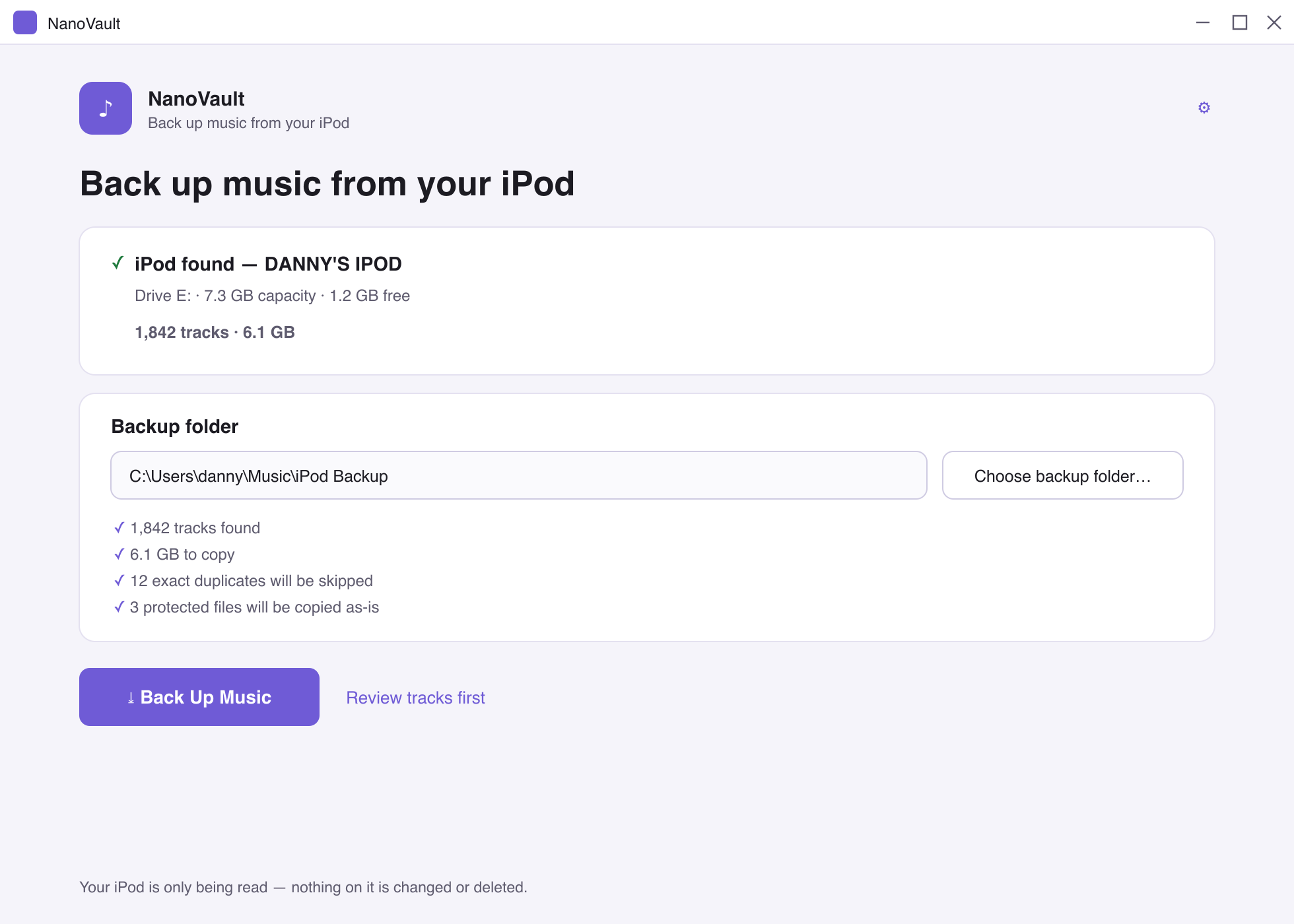
The NanoVault app showing a detected iPod and a Back Up Music button
iPod found — 1,842 tracks
Every copy verified
Read-only & safe Copies exact audio Recovers real names Playlists & report No install fee, ever

Fed up of “here’s 50 songs — now pay to unlock the rest”?

So were we. Plenty of iPod-transfer apps let you copy a handful of tracks, then hold the rest of your own music hostage behind a £19.99 licence. NanoVault copies all of it, the first time, for nothing. If it saves your library and you fancy buying us a coffee, that’s the whole business model.

Everything you need

A proper backup, not a teaser

One click turns a drawer-bound iPod into an organised, future-proof music folder.

Finds your iPod automatically

Plug in and NanoVault detects it — no drive letters, no hidden folders, no renaming random files by hand.

Real names & artwork

Recovers titles, artists, albums and track numbers from the songs and the iPod’s own database — so F04/XKCD.mp3 becomes The Beatles / Revolver / 06 – Yellow Submarine.

Tidy folders, your way

Choose Artist / Album / Track and more. Windows-illegal characters, reserved names and mega-long paths are all handled for you.

Every copy verified

Each file is checked with a SHA-256 hash after copying, so you know the backup is bit-for-bit identical to the original.

Playlists & a report

Get an .m3u8 of everything, your iPod’s own playlists rebuilt, and a tidy HTML report of exactly what was copied.

Handles the messy stuff

Skips exact duplicates, keeps both when names clash, copies protected songs as-is, and never once overwrites a file silently.

Four steps

From drawer to done in minutes

1

Plug in your iPod

Connect it with its USB cable. NanoVault spots it on its own.

2

Pick a folder

Choose anywhere on your PC to save the music.

3

Click Back Up Music

Watch progress, pause or cancel any time. Your iPod is only read.

4

Enjoy your library

Organised files, playlists and a report — ready for anything.

0%
Free — every feature
0
Songs held hostage
SHA-256
Verified copies
0
Bytes uploaded anywhere
Compatibility

Which iPods work?

If Windows shows your iPod as a drive, NanoVault can read it. That covers the classic disk-mode iPods.

Works

  • iPod nano (4th gen) — the main target
  • iPod nano 1st–5th gen
  • iPod classic / video / photo
  • iPod mini

Best effort

  • iPod shuffle — songs copy fine; some names may fall back to the filename
  • Older / unusual databases — always falls back to reading the songs directly
  • Any iPod with “Enable disk use” switched on

Not supported

  • iPod touch & iPhone — they don’t mount as a drive
  • iPod nano 6th / 7th gen — no disk mode
Your iPod is safe

Read-only, by design

NanoVault is built so it cannot write to your iPod — that’s enforced in the code, not just a promise. The worst it can ever do is read.

Never deletes, renames, syncs, restores or formats anything on the iPod.
Unplug mid-backup and finished songs are kept — just plug back in and it resumes.
Completely offline. No account, no analytics, no artwork lookups, nothing leaves your PC.
Open source under the MIT licence — read every line yourself.
Good to know

Frequently asked questions

Is it really free? What’s the catch?
Yes — every feature, no trial, no track limit, no “pro” tier. It’s open source under the MIT licence. If you want to support it, there’s a coffee button; that’s the only ask.
Will it change or wipe my iPod?
No. NanoVault opens your iPod strictly read-only — it’s designed so it literally can’t write to the device. It only ever copies music off it.
Do I need iTunes?
No. As long as Windows shows your iPod as a drive, NanoVault works on its own. On some older models you may need to switch on “Enable disk use” once — the app walks you through it.
Windows warned me about the download. Is it safe?
The installer isn’t code-signed yet, so Windows SmartScreen may show a “more info” prompt on first run — that’s normal for small free apps. The full source is on GitHub if you’d like to build it yourself instead.
What about protected (purchased) songs?
They’re copied exactly as they are and clearly labelled. NanoVault never removes DRM — playing protected files still needs the Apple account they were bought with.
Which iPods are supported?
Classic disk-mode iPods — nano 1st–5th gen (4th gen is the main target), iPod classic, video, photo and mini. iPod touch/iPhone and the nano 6th/7th gen don’t mount as drives, so they aren’t supported. See the compatibility list.

Get your music back.

Free, safe, and it’ll never ask you to pay to unlock the rest of your own songs.

⤓  Download NanoVault for Windows